

If you would like to use your own bull for the insemination options, [Natural service] or [With bull] it must be set up correctly in the program. This is also relevant if you have bought a new bull.
The steps below will show how to set up this feature:
Firstly, you go to the Animal Record of the bull, then go to the [General] tab [1] and click on [Edit] [2]. In this overview you go to the second tab, [Pedigree details] [3] and tick on the box [Use as service bull]. See below:
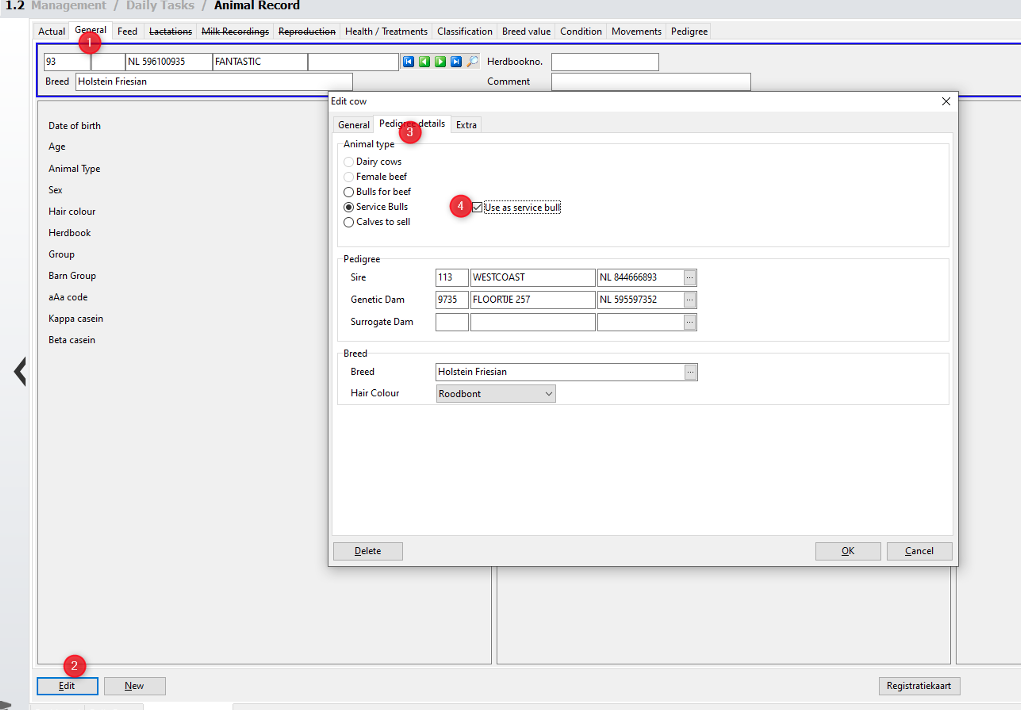
and select [OK] in the bottom right corner.
The bull will now be available as a breeding bull in the program for cows.

