
It happens regularly that customers call about the supply of new cows, with the question: “How can I add those new animals to my UNIFORM-Agri program?” We thought it might be a good idea to pay some attention to this subject.
Here’s an easy way to do this is:
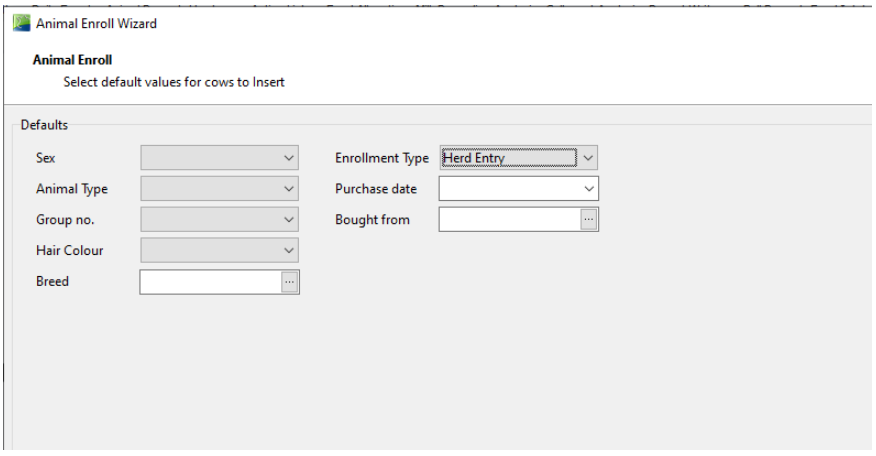
Go to 1.1 Daily entry → (Daily entry → Group entry → Enroll animals) and click on the first option [Enroll animals]. In the first screen you can choose the data regarding your company.
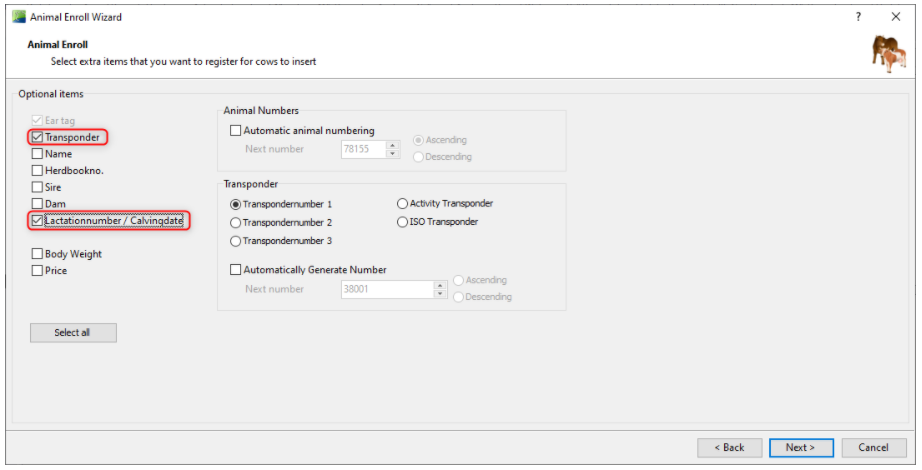
Then you see this screen (image below), if you bought milking cows and the UNIFORM program is linked to a process computer, then it is important to fill in these two items (circled in red):
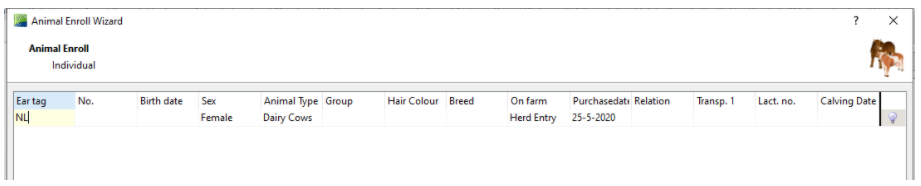
After that you see the screen where you can add all data about the cow(s). If you entered all the data correctly, you’ll see at the end of the line a yellow light bulb. If it concerns imported animals please remove the ‘NL’ (in these example below) and replace it for another country code.