

After the latest update, it is now possible to enter the number of calves determined during scanning when entering a pregnancy status. Below is an explanation of how to enter this information and where you can find it later.
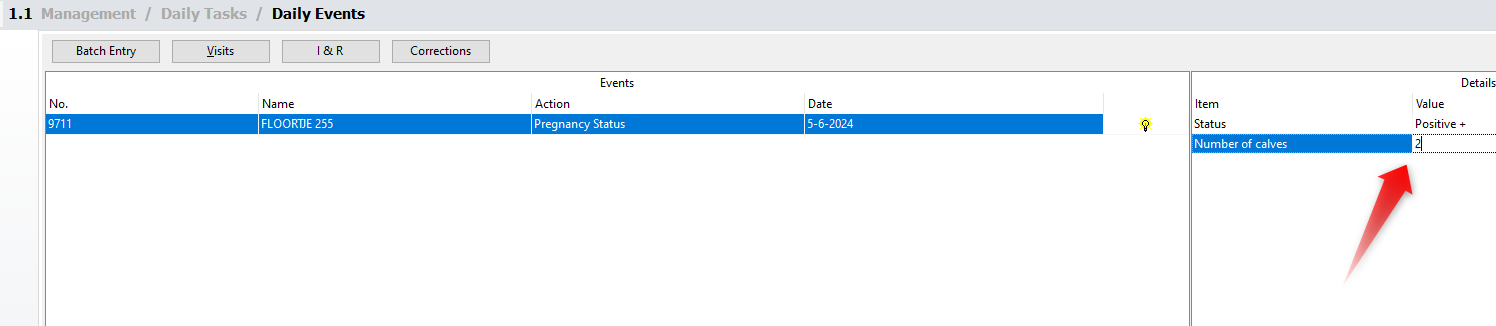
- Go to [Daily Entry] and select the relevant cow.
- Under Action, choose [Pregnancy Status].
- When entering the value [Positive +], you can now specify the number of calves. In this example, it is a twin.
Afterward, the mark Twins will appear in several overviews in the UNIFORM software. For example, on the Animal record under [Reproduction]:

You will also find the mark on various Attention lists, such as the Calving list or the Dry-off list. This is how it will be displayed:


