

The VET Checklist is a report that shows which cows need to be checked for health or reproductive problems. You can set up this list and select the reasons why you want a cow to appear on it. The VET Checklist can be found under Management → Special Reports → VET Checklist.
Checklist
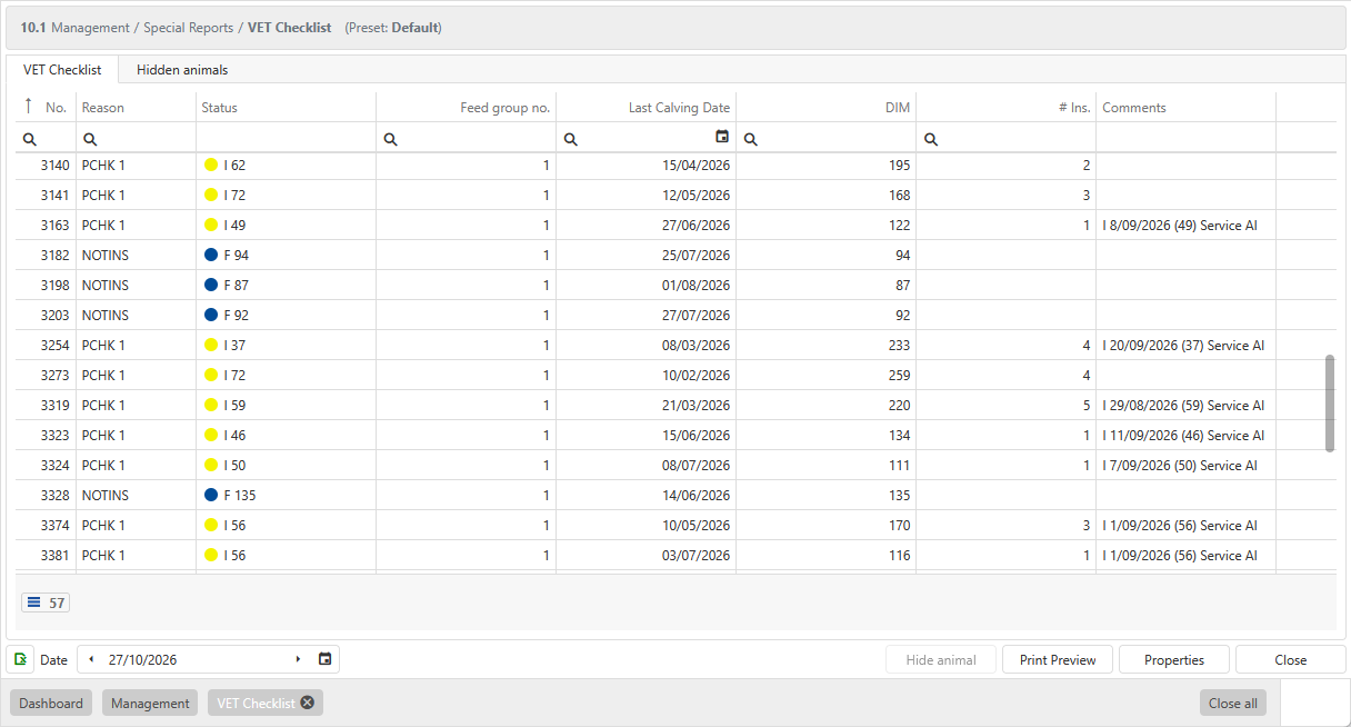
The VET Checklist shows all the necessary information about an animal that needs to be checked by the vet.
An animal appears on the list for a specific reason. This can be a pregnancy check, no observed heat in the current lactation, a health recheck or one of the other 14 reasons.
Reasons
There are three groups of reasons (Heat & Fertility, Pregnancy Check and Protocol & Health). The reasons in each group are explained below. You can adjust each selected reason to suit your needs.
Heat & Fertility
- NOHEAT — Cows not seen in heat after a specific number of days after calving will appear on the list.
- NOHEAT YS — Young stock not seen in heat or inseminated after a specific number of days after birth will appear on the list.
- NOTINS — Cows not inseminated after a specific number of days after calving will appear on the list.
- NOTINS YS — Young stock not inseminated after a specific number of days after birth will appear on the list.
- SHRTCYC — Calved animals that showed several heats within a short period will appear on the list. You can set the number of days.
- RE-INS — Animals that have been served more than a specific number of times will appear on the list.
- ABORTED — Animals that have aborted will appear on the list.
Pregnancy Check
- PCHK — Served animals without a pregnancy result after a specific number of days will appear on the list.
- RECHKPD — Animals with an uncertain pregnancy diagnosis will appear on the list if they still have no positive pregnancy result after a specific number of days.
- PD- — Calved animals with a negative pregnancy result will appear on the list.
- PD- NOHT — Calved animals with a negative pregnancy result that have not been seen in heat or inseminated after a specific number of days will appear on the list.
Protocol & Health
- HLTHCHK — Animals with recent or current health issues or treatments specified for the VET Checklist will appear on the list.
- CALVCHK — All calved animals will appear on the list after a specific number of days.
- POSTNCHK — Calved animals will appear on the list after a specific number of days and before their first insemination after calving.
- INDRECHK — Check all animals that have an individual check date.
- PROTOCOL — Check animals due for a check-up set up in a protocol.
Properties
When you open [Properties], there are three tabs. The first tab is Filter.
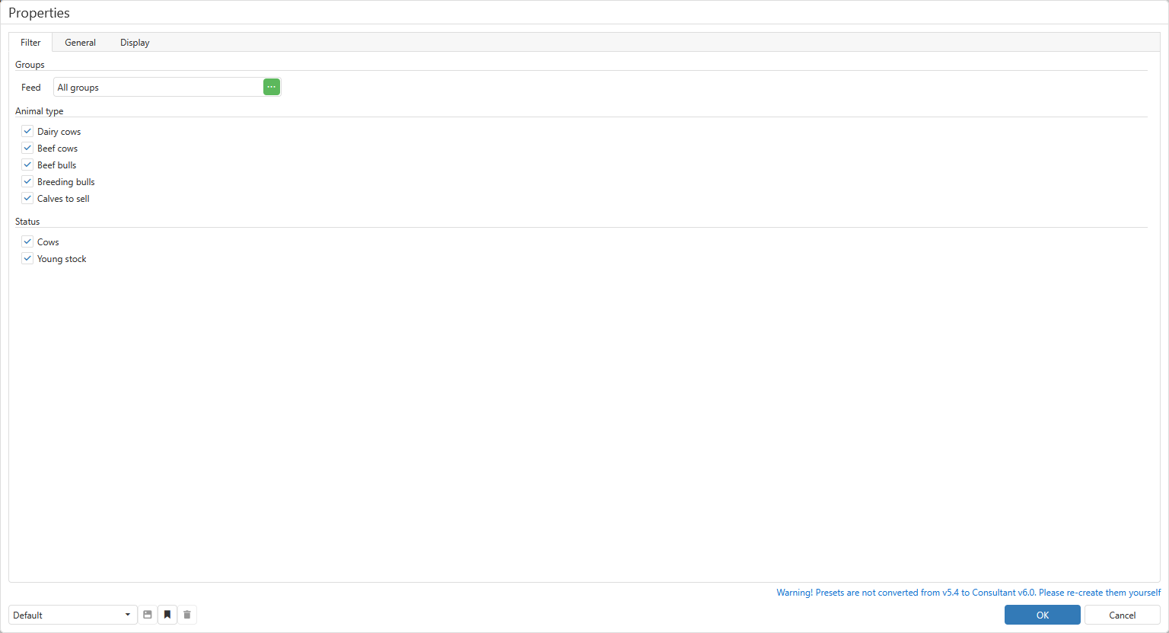
On the [Filter] tab, you can include or exclude animals in three ways. Under Groups, you can filter by feeding group. Under Animal type, you can select [Dairy cows], [Beef cows], [Beef bulls], [Breeding bulls] and [Calves to sell]. Under Status, you can select [Cows], [Young stock] or both.
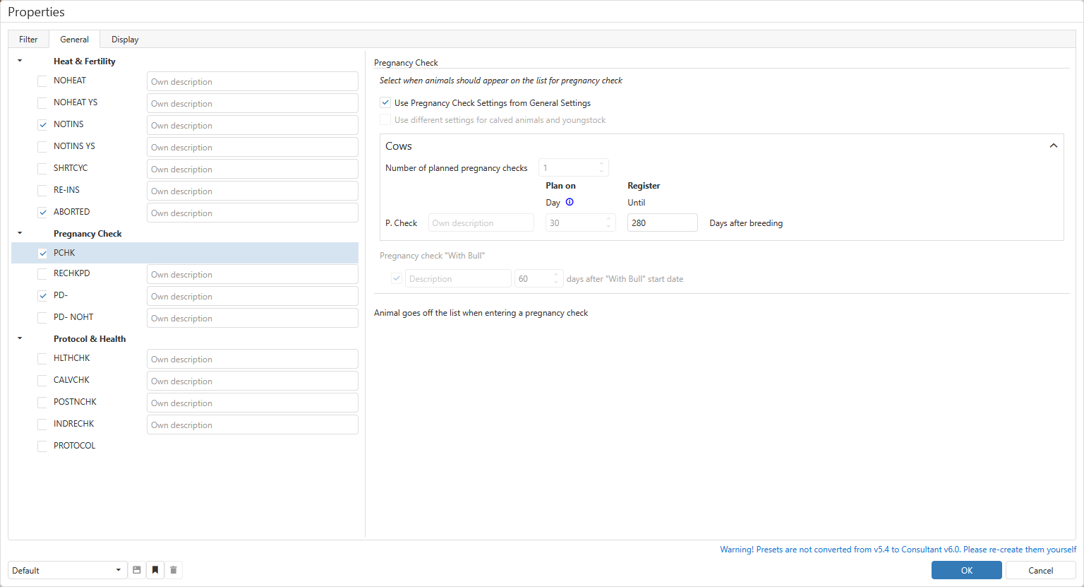
On the [General] tab, you can set the different reasons. For each reason, set a parameter on the right. In the example below, [Use Pregnancy Check Settings from General Settings] is selected for PCHK (pregnancy check).
The default for each parameter is shown in parentheses.
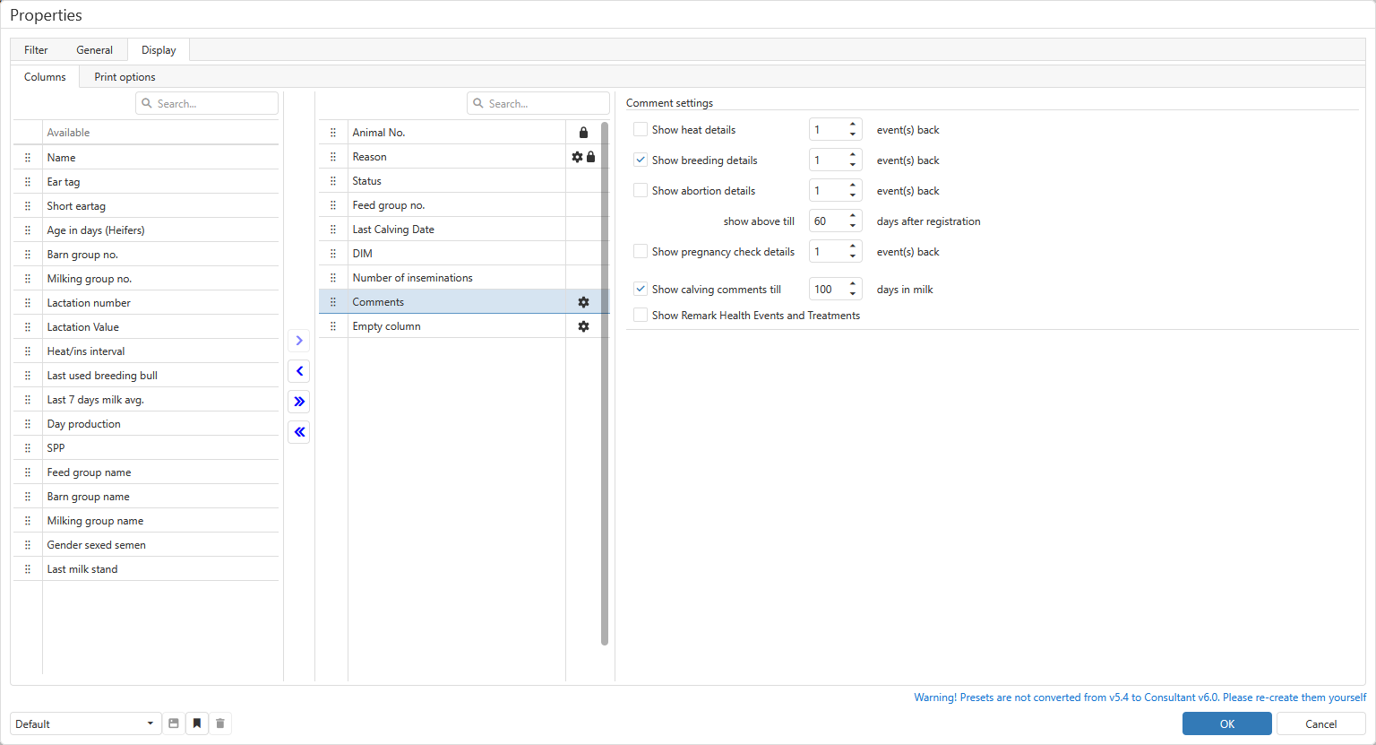
On the [Display] tab, you can set optional columns. Drag items from the Available list on the left to the right. Some items have extra settings, as shown below for the Comments column.
Presets
You can create different presets for the VET Checklist. These are settings you can save and use again. You can create different lists for different reasons or types of animals.
To save a preset, click the save-as icon . Give it a name.
When you make a change and want to save it, use the save icon .
To delete a preset, use the delete icon .
Use the dropdown menu to open your previously saved lists.

