

Most farms have a few groups of cows that everyone needs to keep an eye on.
Maybe it’s cows that tested positive for Leukosis or Johne’s, animals that should be bred to a certain breed, or cows that should not be milked in a specific parlor.
Some farms mark cows that should be used for calf milk instead of the tank, while others track polled animals, A2 carriers, or cows that always get a pass because they’re a favorite.
Sometimes those lists end up written on the corner of a whiteboard so everyone remembers.
Cow Colours allow you to build that visibility directly into UNIFORM so those cows stand out anywhere you see them.
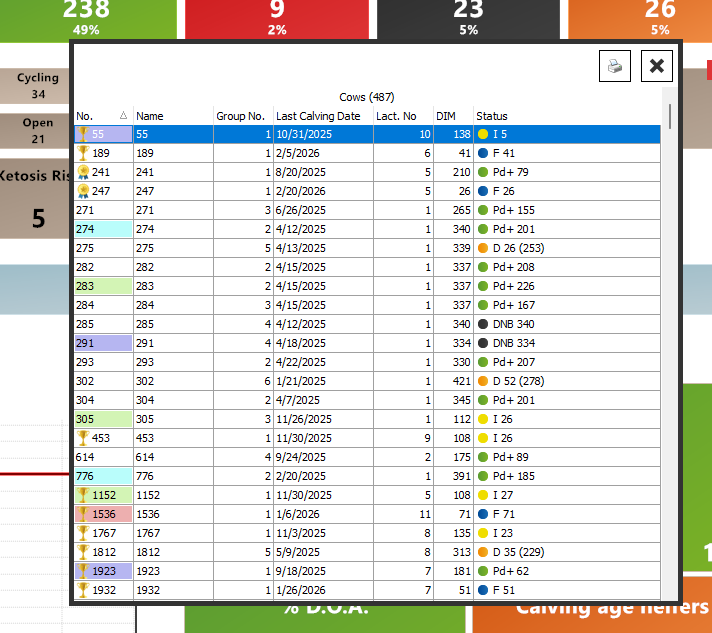
Cow Colours allow health events to automatically assign a colour to an animal. There are four colour choices, and farms use them in many different ways to quickly identify cows that need special handling or extra attention.
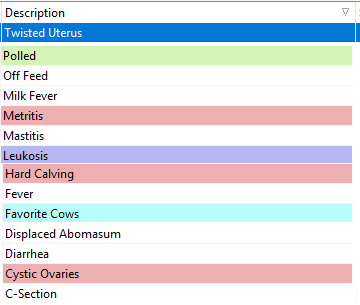
Temporary colour flags can be helpful too
Cow Colours can also be set to appear for a certain number of days after an event.
For example:
- Show fresh cow diseases in red for 90 days so breeders can easily recognize cows that may have a harder time at first service
- Highlight cows that had calfhood pneumonia so they can be monitored more closely later
This allows important health history to stay visible during the period when it matters most.
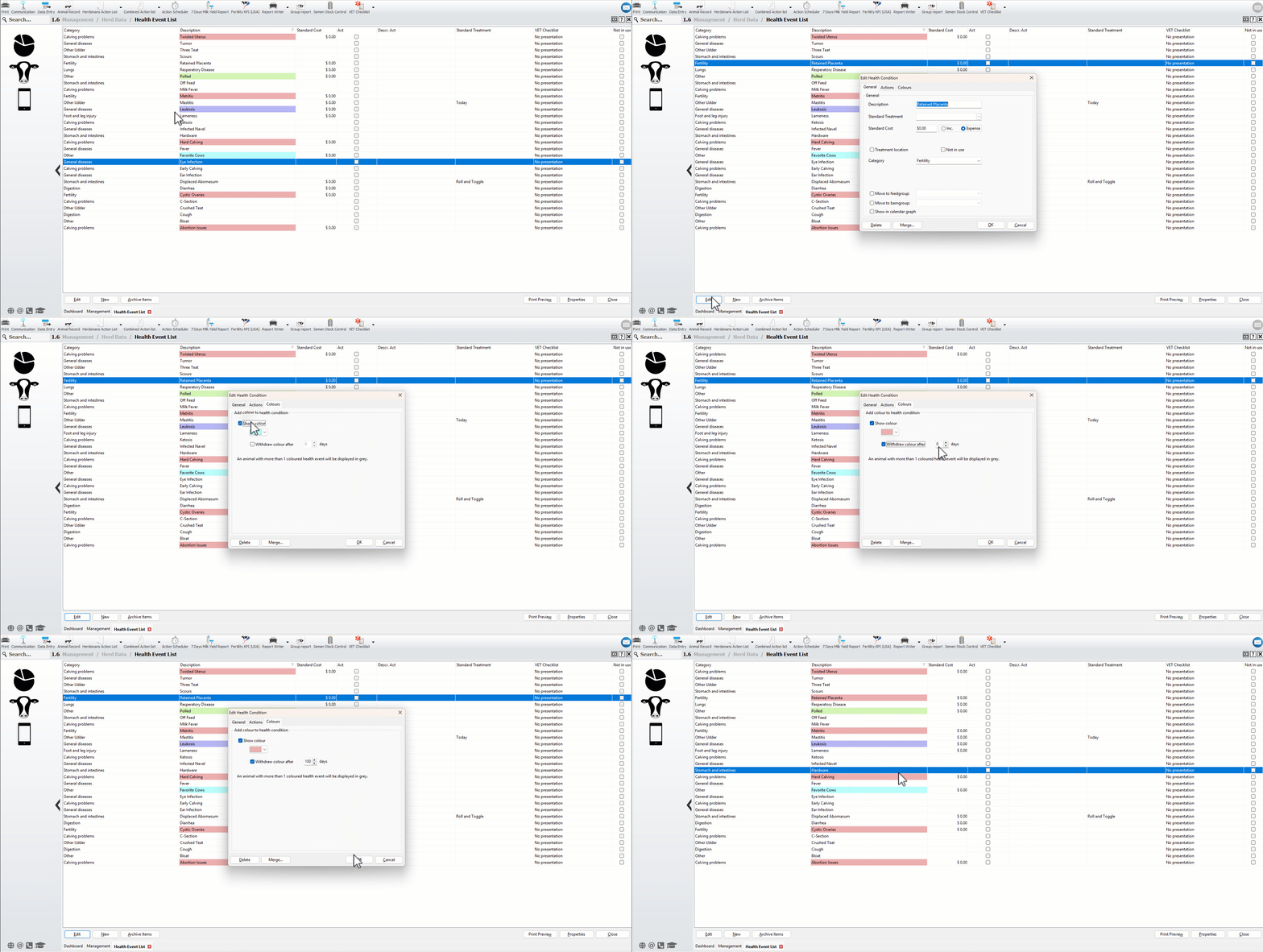
See it in action
Step 1: Open the 1.6 Health Event List
Step 2: Add a new health event or edit an existing one
Step 3: Go to tab [Colours]
Step 4: Check [Show colour], choose a colour, and optionally enter the number of days the colour should remain active
Where you’ll see the colours
Coloured animals are visible across many areas of UNIFORM, including:
- Lists that open from the dashboard
- Data entry screens

- Animal Record
- Report Writer
- Vet check lists
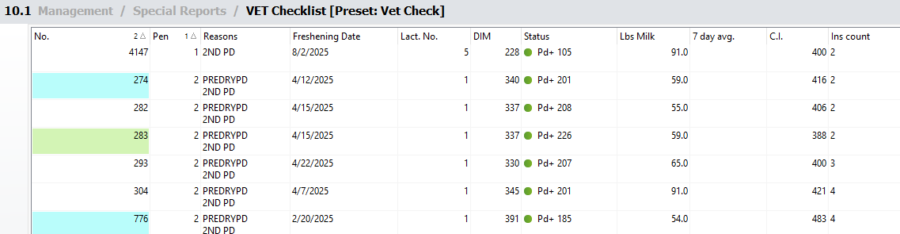
- Action Lists
In other words, the colour follows the cow almost everywhere you work in the program, making it easy to spot those animals without digging through records.

